01 · Getting started
The picture
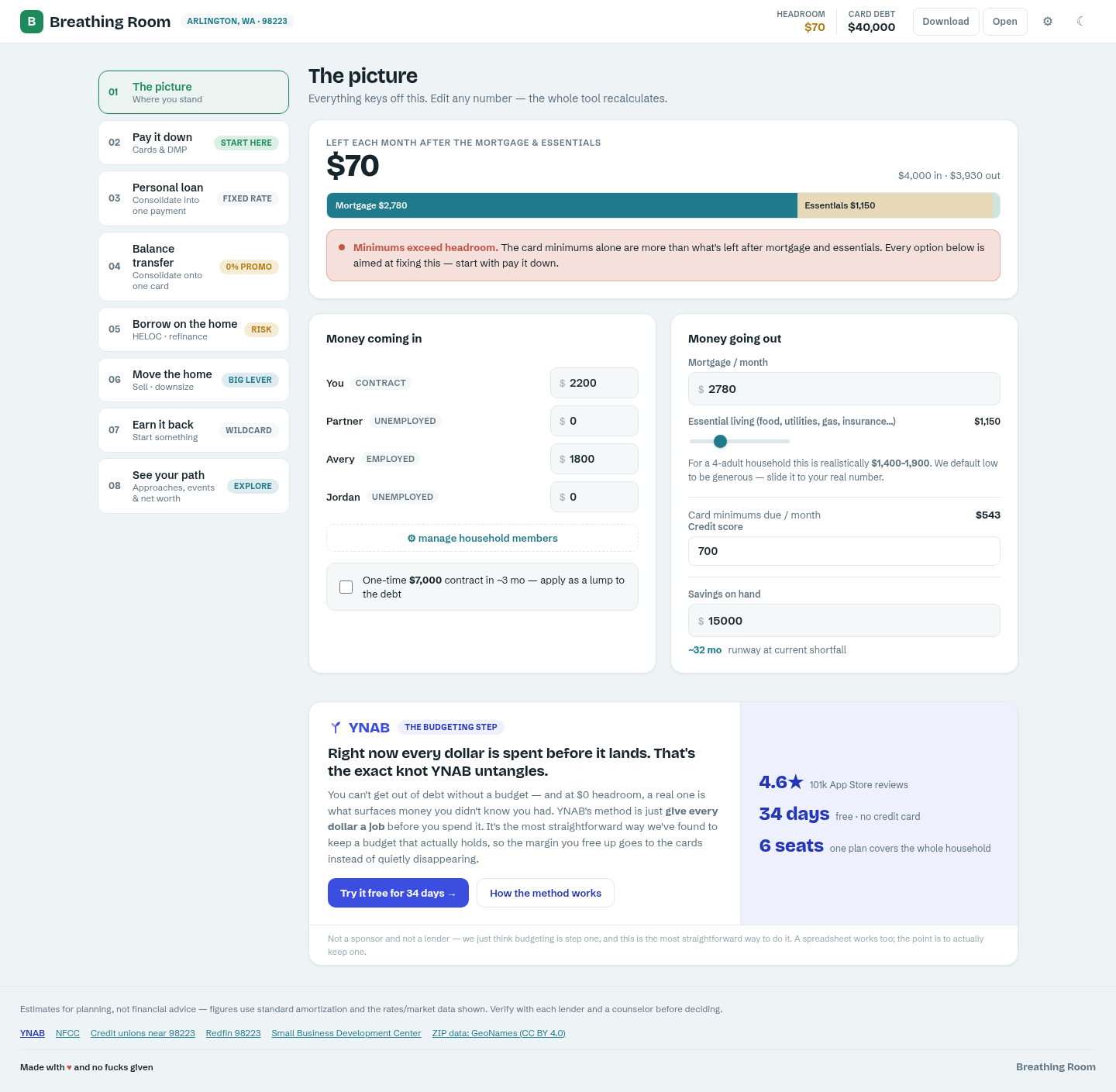
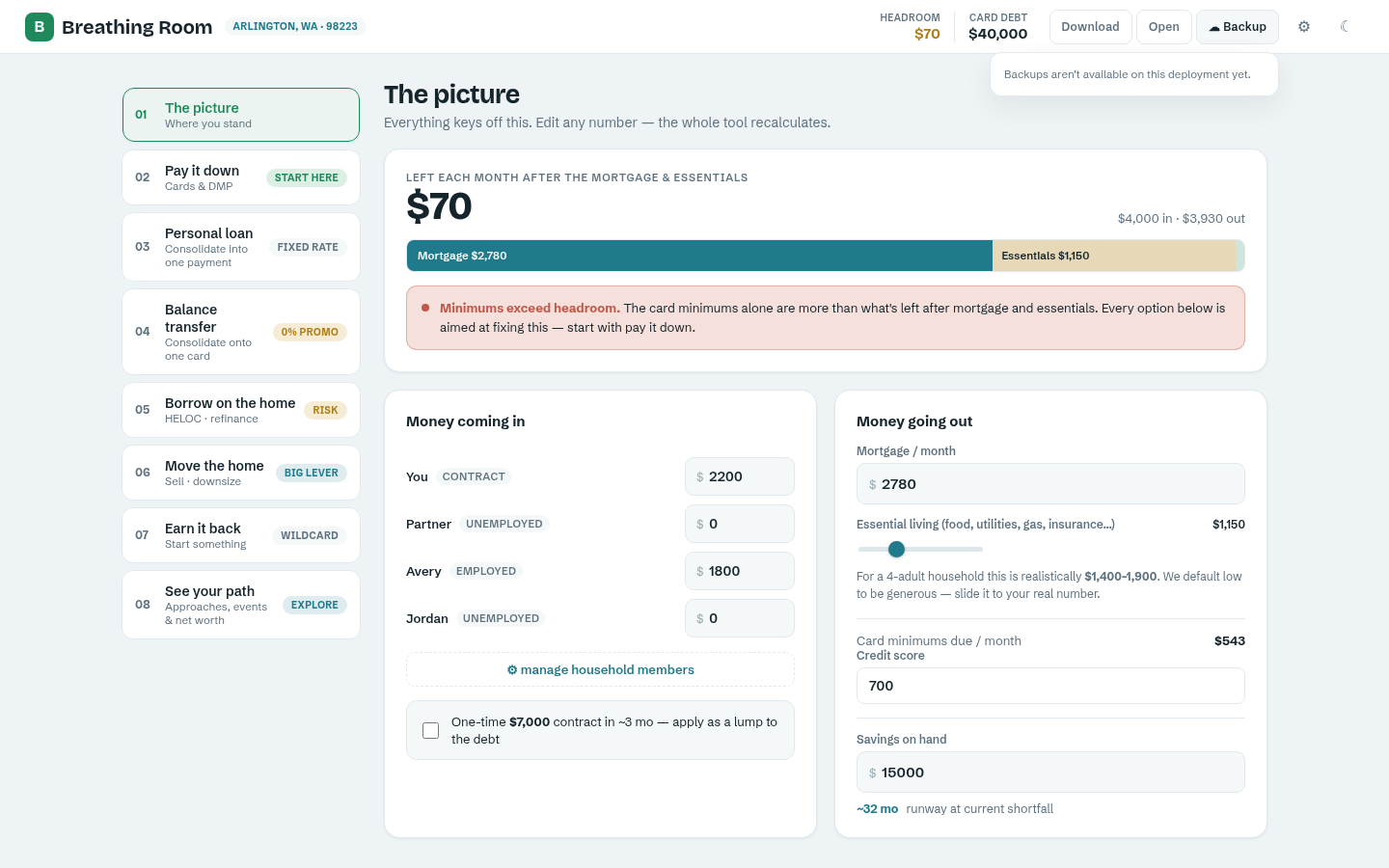
When you sign in, you land on The picture — everything keys off this one screen. It's a straight read of your household's cash flow: what comes in, what goes out, and what's left each month after the mortgage and essentials (headroom).
Every number is editable. Add or remove household members, adjust incomes, slide essential living costs, and set your credit score and savings on hand — the whole tool recalculates instantly as you type. Nothing is saved to a server unless you turn on cloud backups (see below); by default your numbers live only in this browser.
The picture — headroom, income, and expenses
02 · The options
Six ways out
The left-hand nav lists every approach the app can model for your situation, in roughly the order most households should consider them:
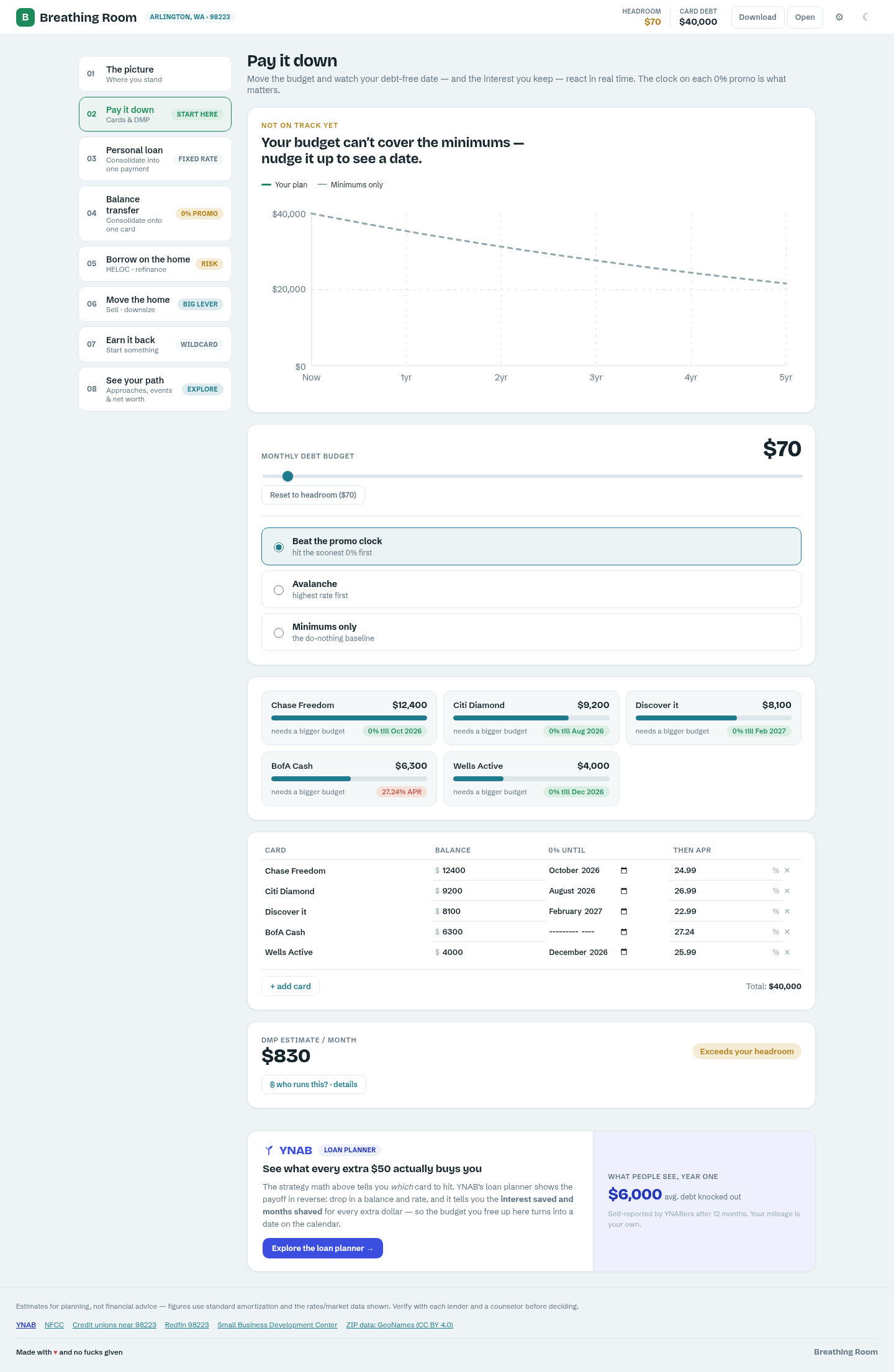
Pay it down — payoff schedule and timeline
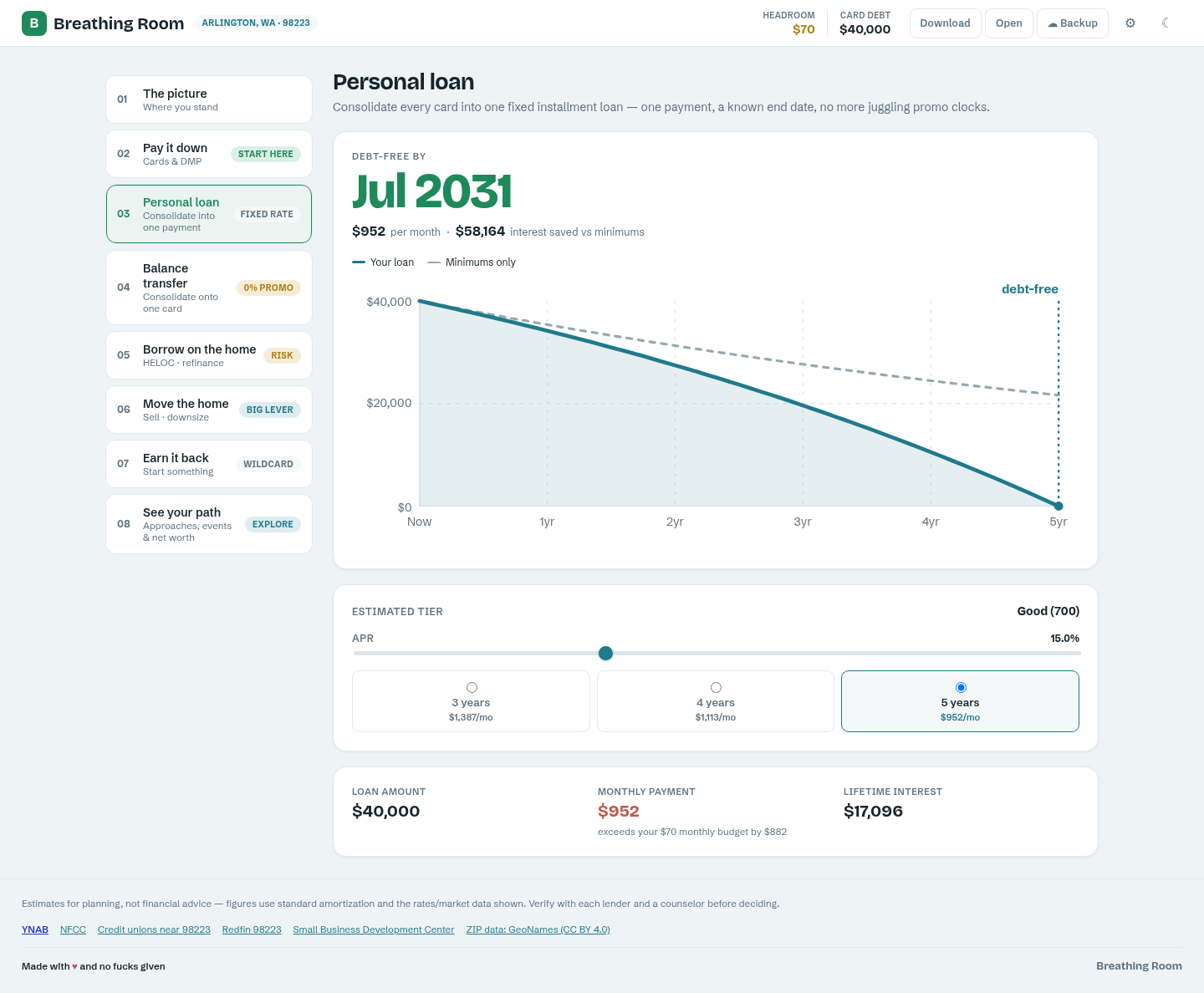
Personal loan — consolidated fixed-rate payment
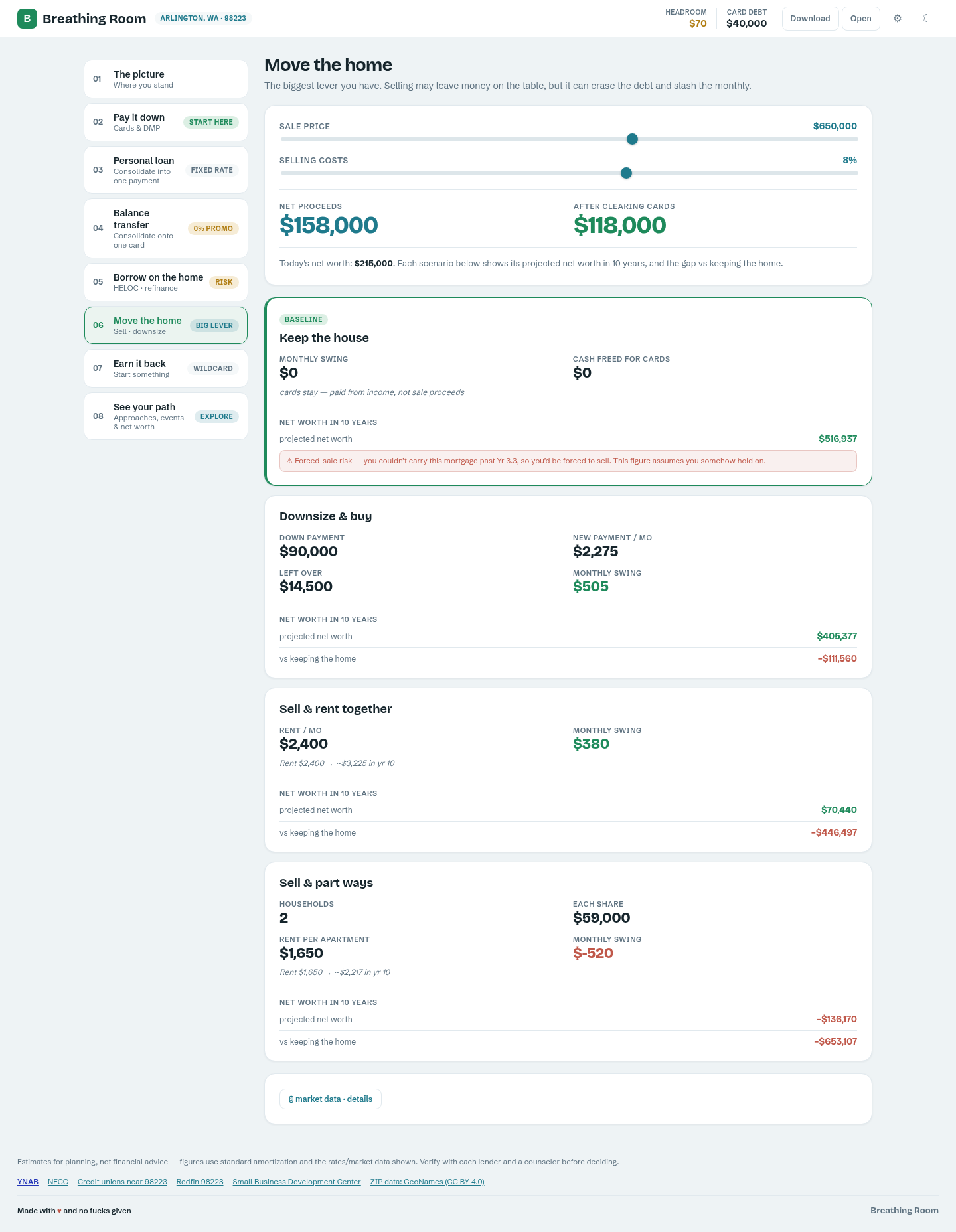
Move the home — sell, rent, or downsize
03 · Optional, read-only by default
Connect YNAB
Already track your money in YNAB? Connect YNAB, on The picture, links your real budget instead of typing every balance in by hand. The connection asks for read-only access by default — Breathing Room can look at your budget but can't change anything in it — and the YNAB token itself never reaches your browser; it's held encrypted on the server, and you can revoke it any time from YNAB's own Account Settings.
Once connected, Import my budget pulls your credit-card balances and APRs, savings and mortgage balances, a suggested home value (a suggestion only — confirm it before applying, since it drives the opportunity-cost math), and a real monthly living-cost figure pulled from last month's spending, with a note on whether it's trending up or down. Nothing merges automatically: a review screen lists every row it found so you can check off exactly what to bring in, then hit Apply selected. Anything left unchecked — and anything YNAB doesn't know about, like promo windows, assumptions, or household members — stays untouched.
Run it again later and the button reads Refresh from YNAB — re-importing is always safe, since it just re-runs the same review rather than silently overwriting what you already accepted.
04 · The payoff
See your path
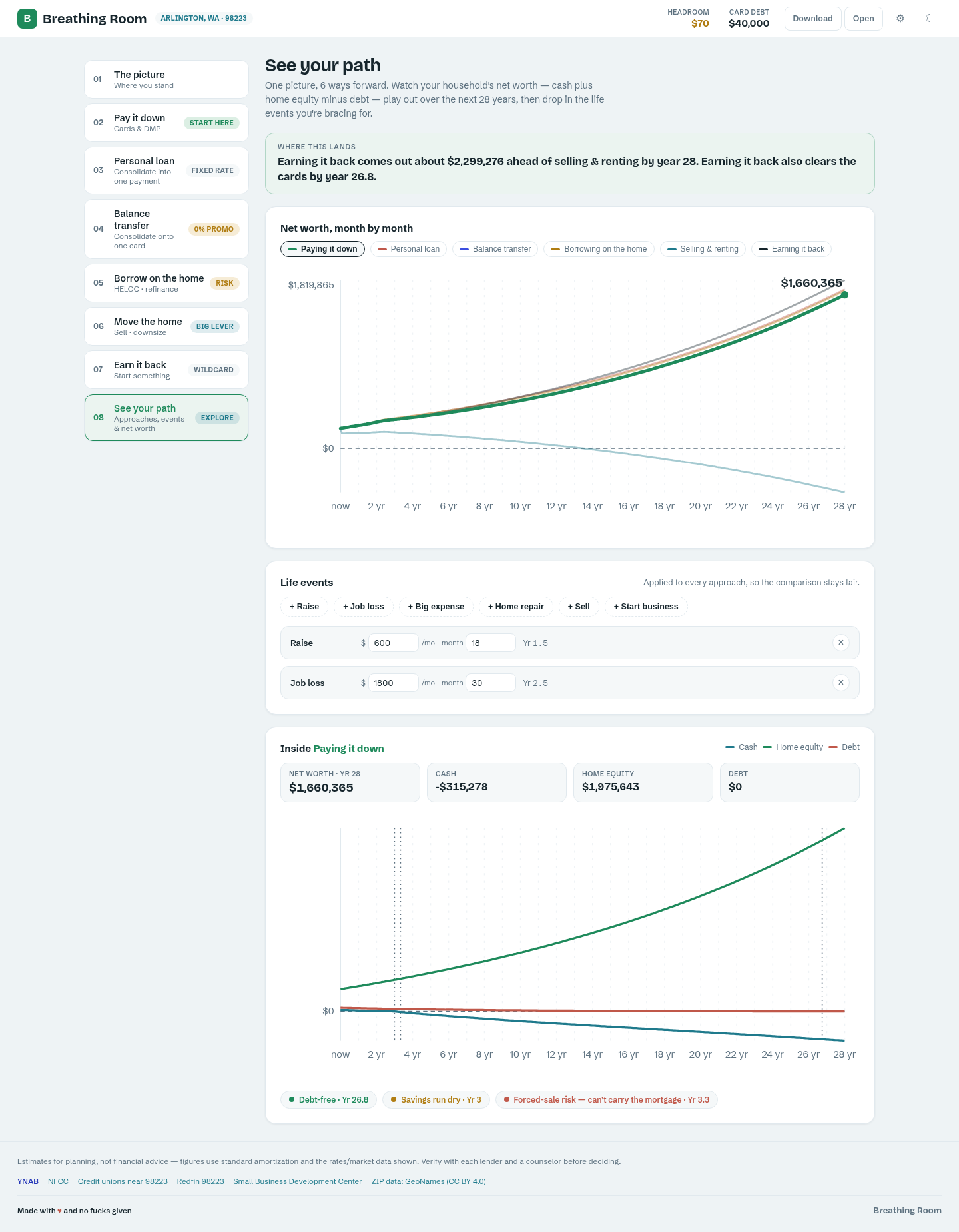
The eighth screen, See your path, is where every approach comes together: one chart, your household's net worth — cash plus home equity minus debt — plotted out 28 years under each of the six comparable approaches at once.
Add life events (a raise, a job loss, a big expense, a home repair, selling, or starting a business) and every approach re-plots with the same events applied, so the comparison stays fair. The app calls out the milestones that matter most: when you're debt-free, when savings run dry, and where forced-sale risk shows up.
See your path — net worth compared across all six approaches
05 · The forward story
Back to the Future
Back to the Future takes the same projection engine behind See your path and turns it into a one-page verdict: your three strongest approaches, ranked by net worth at the end of your plan's horizon, each with its trade-off spelled out in plain language and a "recommended" call on the strongest one.
Every card shows the projected net worth and the gain over today, the month you'd be debt-free under that approach (or a note that you're still carrying cards at the horizon), and a small trend line. Because it's built from the same numbers as See your path, the two screens can never disagree.
Download PDF captures the whole page as a shareable summary — handy for showing a partner, a lender, or a counselor the picture without walking them through the live app.
06 · Settings
Household & location
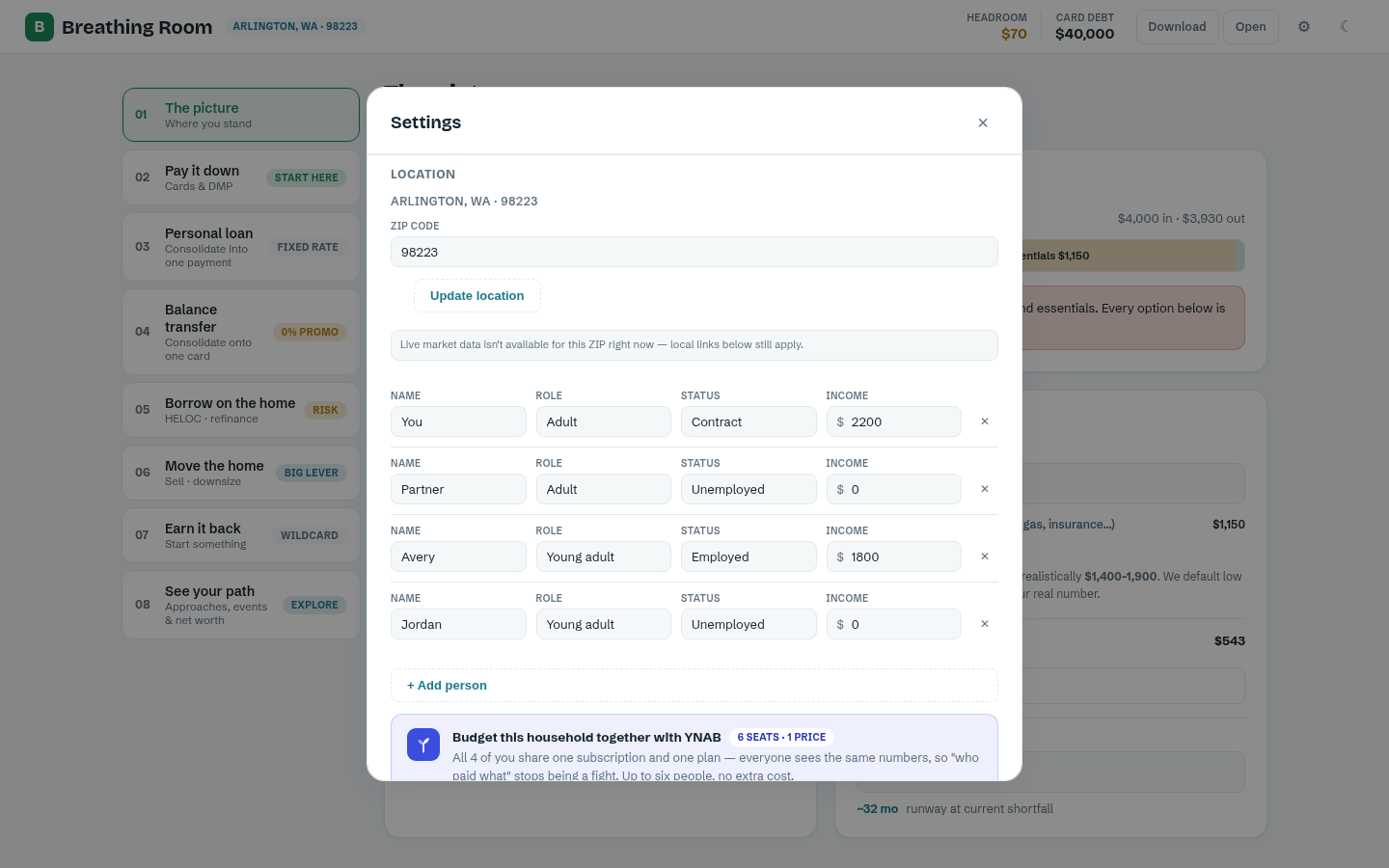
The gear icon opens Settings: add or remove household members (with role and employment status — these affect income assumptions), and set your ZIP code. Your ZIP drives real local data — median home value and rent for your area — pulled live from the U.S. Census, plus links to a credit union locator, an NFCC counselor near you, and local market data.
Settings is also where the four planning assumptions live: home appreciation, mortgage rate, marginal tax rate, and rent inflation. Each has a tooltip explaining what it means and why it matters — change any of them and every approach's projection updates.
Settings — household members, location, and assumptions
07 · Your plan, portable
Saving your plan
Download saves your entire picture — household, numbers, and assumptions — as a single file you control. Open loads one back in. This is the free, no-account way to keep a copy or move between devices: email yourself the file, or drop it in your own cloud storage.
08 · Optional upgrade
Cloud backups
For a one-time $19, Cloud backups keeps your plan synced automatically across every device you sign into — no more manual download/open. Your plan is encrypted before it ever leaves your browser; turning it on is a deliberate opt-in, never on by default.
If you were already using cloud sync before this became a paid feature, you're grandfathered in automatically — nothing to do, nothing to pay.
The Backup panel, opened from the top bar
09 · Look & feel
Light & dark
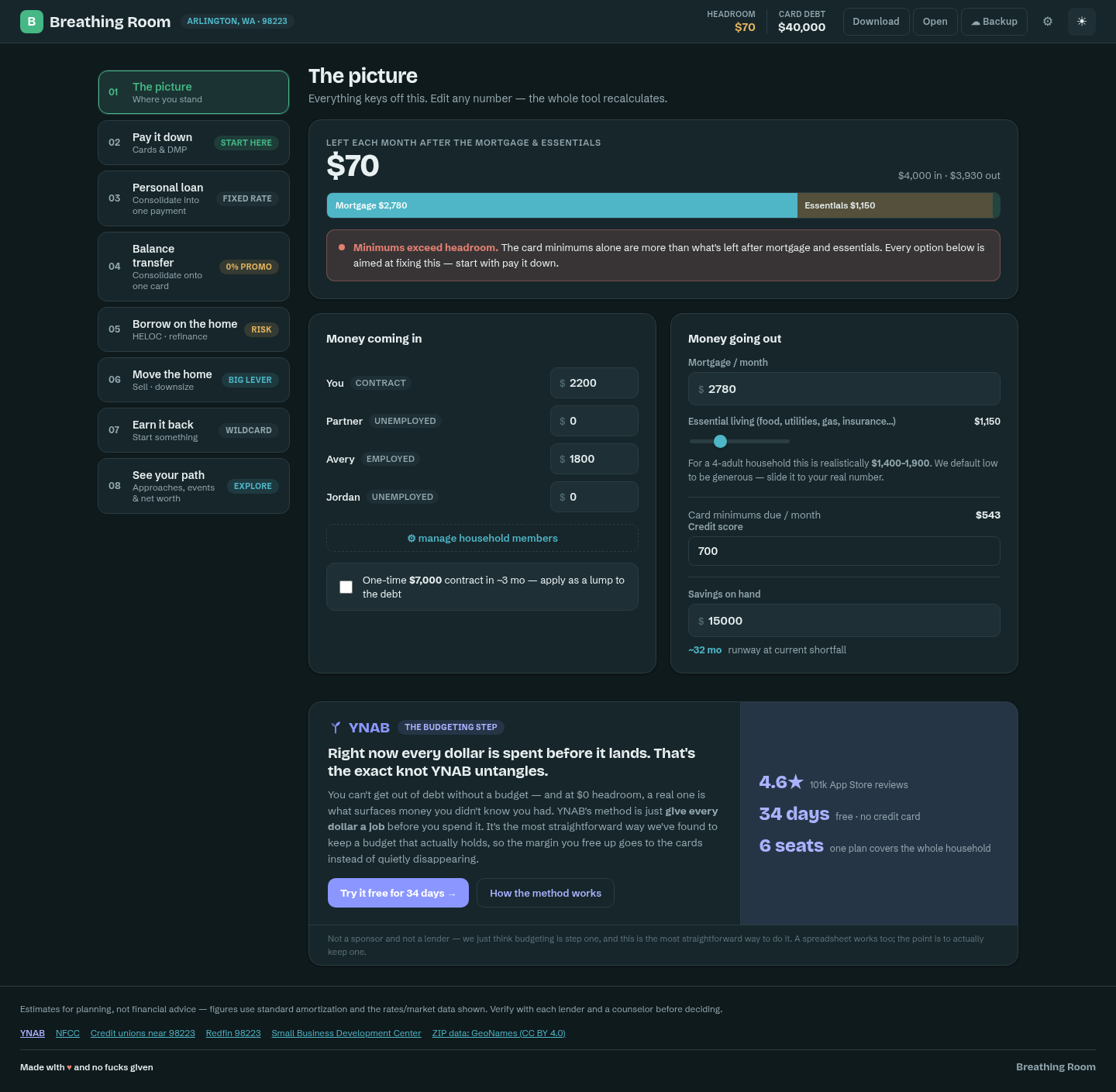
The moon/sun icon in the top bar switches between light and dark themes instantly — your choice is remembered for next time. Every screen, chart, and callout is designed for both.
The picture, in dark mode
10 · Trust
Your data
By default, everything you enter stays in your browser's local storage — nothing is sent anywhere unless you explicitly turn on cloud backups or connect YNAB, and even then it's encrypted (cloud backups) or held server-side only as an encrypted token you can revoke anytime (YNAB). There's no ad tracking, no data sale, and no third-party analytics on your household's numbers.
Figures throughout the app are estimates for planning, not financial advice — verify anything material with a lender or a certified counselor before deciding.